
How to Program a CNC Press Brake for Complex Bends
Meta: Master CNC press brake programming for complex bends. Learn programming steps, advanced techniques, and troubleshooting tips.
How to Program a CNC Press Brake for Complex Bends
Ready to master complex press brake programming? Modern CNC press brakes can handle intricate bend sequences, but programming them requires understanding both the machine capabilities and the programming logic. This comprehensive guide walks you through programming techniques for complex bends.
Understanding CNC Press Brake Basics
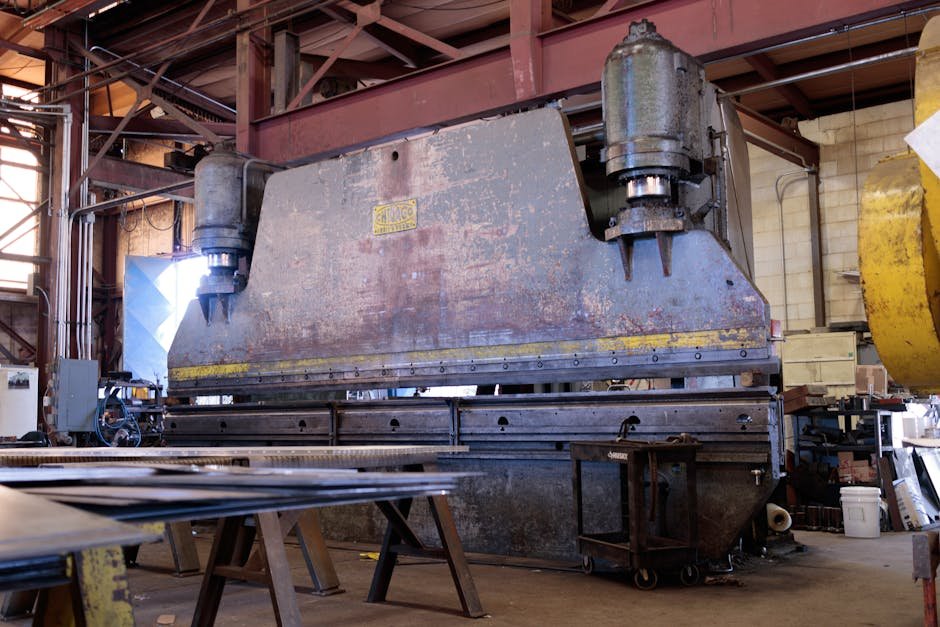

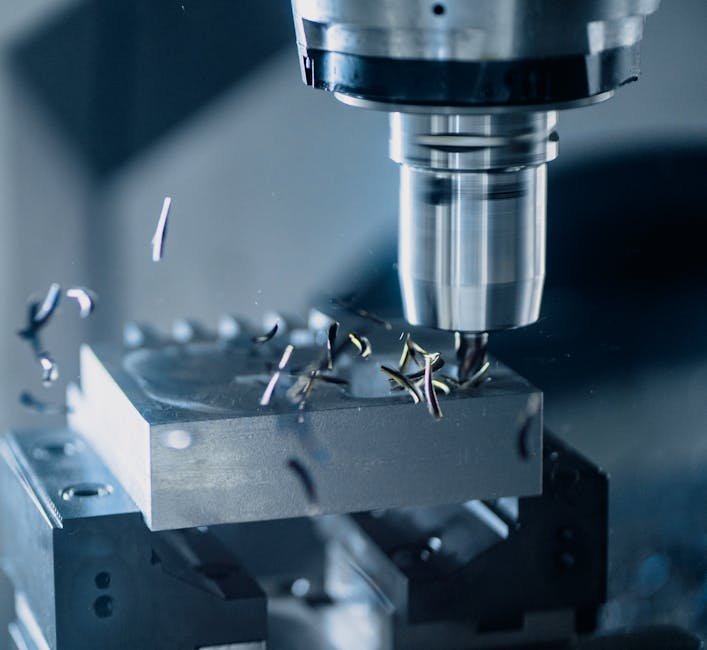
Key Components
- CNC Controller: The brain that executes your program
- Back Gauge: Positions material for accurate bends
- Ram: The moving part that applies bending force
- Tooling: Punches and dies that form the bends
- Axis Control: Controls ram position, back gauge, and crowning
Common CNC Systems
- Delem: DAC-360T, DAC-640T (popular, user-friendly)
- Cybelec: CybTouch series (advanced features)
- ESA: S630, S800 (European standard)
- Mitsubishi: Various models (reliable, precise)
Pre-Programming Preparation
1. Analyze the Part Drawing
- Identify all bend lines and angles
- Determine bend sequence (critical for complex parts)
- Check for potential tooling conflicts
- Note material type and thickness
- Calculate flat pattern dimensions
2. Select Appropriate Tooling
- Punch selection: Based on inside radius requirements
- Die selection: Based on material thickness and bend angle
- Tool length: Must accommodate part dimensions
- Tool strength: Must handle bending tonnage
3. Determine Bend Sequence
General rules for bend sequence:
- Bend from outside to inside when possible
- Consider part handling between bends
- Avoid tooling interference with previous bends
- Minimize part repositioning
- Consider grain direction for critical bends
Basic Programming Steps
Step 1: Create New Program
- Select “New Program” on CNC controller
- Enter program name/number
- Input material specifications (type, thickness, tensile strength)
- Enter sheet dimensions (length, width)
Step 2: Input Bend Data
For each bend, enter:
- Bend position: Distance from reference edge
- Bend angle: Desired final angle
- Bend direction: Up or down
- Flange length: Length of bent portion
Step 3: Tooling Setup
- Select punch and die from tool library
- Input tooling dimensions if not in library
- Set tooling position on machine
- Verify tooling selection matches program requirements
Step 4: Calculate Bend Parameters
The CNC will calculate:
- Bend deduction: Material stretch during bending
- Inside radius: Based on punch geometry
- K-factor: Neutral axis location
- Bend allowance: Developed length of bend
Advanced Programming Techniques
Multi-Axis Programming
Modern press brakes offer multiple controlled axes:
- Y-axis: Ram position (primary bending axis)
- X-axis: Back gauge forward/backward
- R-axis: Back gauge up/down
- Z-axis: Back gauge left/right
- Crowding: Bed deflection compensation
Automatic Bend Sequence Optimization
Many CNC systems can optimize bend sequence automatically:
- Input all bend data
- Select “Auto Sequence” or “Optimize” function
- Review suggested sequence
- Make manual adjustments if needed
- Verify no tooling conflicts
3D Part Visualization
Advanced controllers offer 3D visualization:
- Import DXF or STEP files directly
- Visualize part in 3D before programming
- Auto-extract bend data from 3D model
- Simulate bending process
- Detect potential collisions
Programming Complex Features
Hemming Operations
For hemmed edges:
- Program initial bend (typically 30-45°)
- Program flattening operation
- Use appropriate hemming tooling
- Account for material thickness in calculations
Multiple Bends at Same Location
For complex profiles:
- Program each bend separately
- Use different tools if needed
- Ensure proper material support
- Consider springback compensation
Offset Bends (Z-Bends)
Programming Z-bends:
- Program first bend normally
- Rotate part 180°
- Program second bend with appropriate back gauge position
- Verify offset dimension matches drawing
Troubleshooting Common Programming Issues
Problem: Inconsistent Bend Angles
Possible causes:
- Incorrect material tensile strength input
- Worn or damaged tooling
- Hydraulic pressure variations
- Material thickness variations
Solutions:
- Verify material specifications
- Use angle measurement for automatic correction
- Check hydraulic system
- Implement angle compensation
Problem: Dimensional Inaccuracy
Possible causes:
- Incorrect back gauge position
- Tooling wear
- Material slippage
- Programming error in bend deduction
Solutions:
- Calibrate back gauge
- Check and replace worn tooling
- Increase hold-down pressure
- Verify bend deduction calculations
Problem: Tooling Interference
Possible causes:
- Incorrect tool selection
- Improper bend sequence
- Part geometry conflicts
Solutions:
- Use 3D simulation to detect conflicts
- Change bend sequence
- Select different tooling
- Consider specialized tooling
Best Practices for Complex Programming
1. Start Simple
Begin with basic bends, then add complexity. Test each step before proceeding.
2. Use Simulation
Always simulate the program before running on actual material. This catches errors before they cause damage.
3. Document Everything
Keep detailed records of:
- Program parameters
- Tooling used
- Material specifications
- Any adjustments made
4. First Article Inspection
Always inspect the first piece completely before running production:
- Check all dimensions
- Verify all angles
- Confirm bend sequence worked
- Look for tooling marks or damage
5. Operator Training
Ensure operators understand:
- Basic CNC programming
- Tooling selection
- Material properties
- Safety procedures
Frequently Asked Questions
Q1: How do I calculate bend deduction?
Bend deduction = 2 × Outside setback – Bend allowance. Most CNC controllers calculate this automatically based on material properties and tooling.
Q2: What is the K-factor and why does it matter?
The K-factor (typically 0.3-0.5) represents the neutral axis location during bending. It affects bend allowance calculations and final part dimensions.
Q3: Can I import CAD files directly?
Many modern CNC press brakes can import DXF, DWG, or STEP files. The controller extracts bend data automatically, reducing programming time.
Q4: How do I handle springback?
Program overbending to compensate for springback. Most CNC controllers have automatic springback compensation based on material type.
Q5: What’s the best way to learn CNC press brake programming?
Start with manufacturer training, practice on simple parts, gradually increase complexity, and learn from experienced programmers.
Conclusion: Mastery Takes Practice
Programming CNC press brakes for complex bends requires understanding both the machine and the material. Start with fundamentals, use simulation tools, and gradually tackle more complex parts. With practice, you’ll develop the skills to program even the most challenging components efficiently.
Need press brake training or equipment? Contact our team for comprehensive CNC press brake training programs and a wide selection of new and used press brakes. We offer programming support and ongoing technical assistance.
For more guidance, explore our articles on press brake troubleshooting and press brake safety.